

Every $1 invested in UI/UX design returns an average of $100 — a 9,900% ROI (Forrester). Good design is not decoration — it is your website’s highest-returning investment. In this article, we explain why, and how we apply this principle at Prometheus Digital.
What Is the Difference Between UI and UX?
Simply put: UX (User Experience) is the feeling a person has while using a website. UI (User Interface) is what they see: the buttons, colors, fonts, and images.
| Aspect | UX | UI |
|---|---|---|
| Focus | Functionality, logic, user flows | Appearance, style, visuals |
| Key question | ”How does it work? Is it intuitive?" | "How does it look? Is it appealing?” |
| Sign of failure | The user cannot find what they need | The user does not perceive the site as professional |
| Analogy | The floor plan of a building | The facade of a building |
The two work together: the best UI cannot save a poor UX (beautiful but impossible to navigate), and the best UX with a poor UI still falls flat (simple but looks like it was built in 2010).
The Business Impact of UX — In Numbers
- 88% of users who have a bad experience on a website will not return (Sweor)
- 75% of users judge a company’s credibility based on its website design (Stanford)
- 38% leave a site if the design is unattractive (Adobe)
- A 1-second improvement in loading time results in a 7% increase in conversions (Amazon)
The 6 UX Principles We Follow
1. Hierarchy — Important Things Come First
Every page has a primary goal (CTA), and visual hierarchy ensures the user’s eye naturally gravitates toward it. This is achieved through:
- Size (larger elements attract attention)
- Color (contrasting elements stand out)
- Placement (top-left to bottom-right, Z-pattern)
2. Consistency — Everything Behaves as Expected
If a blue button is clickable on page A, it should be clickable on page B. If your main heading is always bold and white, it should never suddenly appear italic and gray. Consistency builds trust; inconsistency creates confusion.
3. Feedback — The Page Should Respond
When the user interacts with the page, they need to receive feedback:
- Button press — visual indication (color change, animation)
- Form submission — success or error message
- Page loading — loading indicators (skeleton screens, progress bars)
Our article on website animations covers how we implement these in detail.
4. Simplicity — Less Is More
White space is not waste — it is the most effective tool for directing attention. The best websites are not the ones crammed with the most content, but the ones that have exactly as much as needed.
5. Accessibility — Everyone Matters
Good UX is inclusive:
- Sufficient color contrast (WCAG 2.1 minimum AA level)
- Keyboard navigation
- Screen reader-friendly HTML (semantic elements)
- Motion sensitivity support (
prefers-reduced-motion)
6. Speed — Part of the Experience
Page speed is the most critical element of UX/UI. No amount of design can compensate for a 5-second load time. Our technology choices (Next.js, Astro, React) guarantee a 90+ PageSpeed score.
Our Design Process
- Research — Target audience analysis, competitor audit, user needs assessment
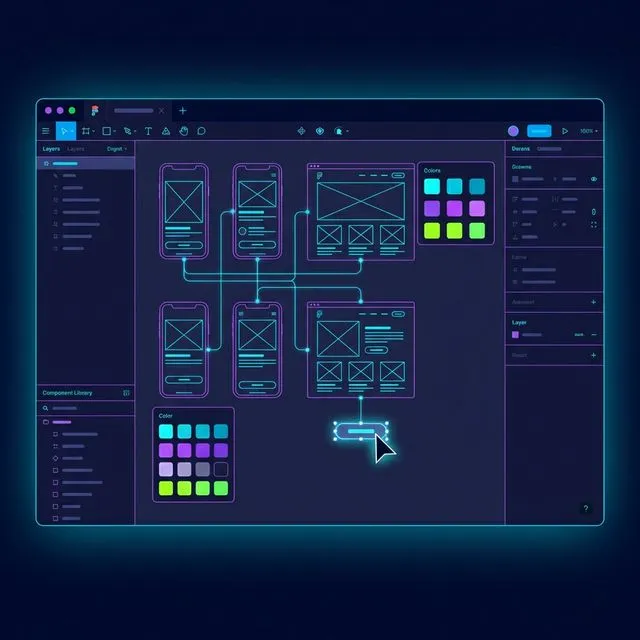
- Wireframe — Low-fidelity sketches to test structure and user flows
- Moodboard — Collecting visual directions (colors, mood, references)
- Design System — A unified system of typography, color palette, buttons, and icons
- Figma Prototype — High-fidelity, clickable prototype for user testing
- Iteration — Refinement based on feedback
- Development — Turning the approved design into code
The “Beautiful” vs. “Effective” Design Question
The most common trap: a client asks for a “gorgeous” website. Beauty matters — but a website’s primary purpose is not beauty. It is business results: conversions, inquiries, sales.
The best design is both: beautiful AND effective. Visual appeal attracts attention, while UX guides the user toward the desired action.
Frequently Asked Questions
How much does professional UI/UX design cost?
UI/UX design is an integral part of website development — not a separate line item. Our projects include custom Figma-based design, a design system, and responsive layouts as standard.
Do you use templates or page builders?
No. Every design is created from scratch in Figma and built with custom code. This provides complete creative freedom that neither templates nor page builders (Elementor, Wix) can match.
Can you improve my existing website's design without a full redesign?
Yes — in many cases, a targeted UX audit and improvements to critical elements (CTA buttons, navigation, mobile view, speed) can deliver significant results. Request a free website audit, and we will tell you what can be improved.
Want your website’s design to not just look good, but actually generate revenue? The first step is a UX audit.